

Master Video Editing for Real Estate: The Complete Guide
You already have the clips. The gimbal move through the kitchen looked smooth on location. The window light in the living room felt right. Then you drop everything into your editor, hit play, and the property suddenly feels flatter than it did in person. That gap is where most real estate videos fail.
Good video editing real estate work is not about adding flashy effects. It is about controlling how a buyer experiences space — sequence, light, sound, and trust.
Why Your Raw Footage Is Not Enough
Raw footage shows rooms. Edited footage sells the visit before it happens.
Professional video has a measurable business impact. Real estate listings with professional videos receive 403% more inquiries than listings without them.
What raw footage usually gets wrong
- No narrative: The viewer sees rooms, but never feels the home.
- No pacing control: Wide shots drag, detail shots disappear too quickly.
- No visual consistency: Different rooms shift from warm to cool without intention.
- No cleanup: Reflections, personal photos, street activity, and plates stay visible.
A buyer will forgive a simple edit faster than a confusing one. Clarity beats style every time.
Plan Your Shoot to Simplify Your Edit
Lock your technical settings first
The industry standard for real estate is 60 FPS. Use one resolution for the entire shoot: 1080p or 4K.
Preferred capture checklist
- Frame rate: Shoot the full property at 60 FPS.
- Resolution: Pick 1080p or 4K and keep it consistent.
- Color space: Stay in Rec. 709 for straightforward grading.
- Profile: Skip LOG unless you have a real grading reason.
- Movement: Use a gimbal for walking shots you plan to keep.
Build the tour while you are on site
Walk the property once before recording. Cover each key space in three shot types:
- Wide shots for orientation.
- Medium shots for room features.
- Detail shots for texture, finish, and craftsmanship.
The Complete Real Estate Editing Workflow
Start with organization
| Folder | What goes in it | Why it helps |
|---|---|---|
| Exterior | Front, back, curb, drone | Establishing sequence stays easy to build |
| Interior main areas | Entry, living, kitchen, dining | Core story of the home stays grouped |
| Bedrooms and baths | Primary, secondary, ensuite, guest bath | Speeds room-to-room comparison |
| Details | Fixtures, hardware, surfaces | Lets you build rhythm and luxury cues |
| Audio and graphics | Music, titles, logo, disclaimers | Keeps finishing assets separate |
Build the rough cut for flow
A dependable property sequence
- Open with context: Exterior or approach shot.
- Move inside naturally: Entry, then primary living area.
- Let the kitchen breathe: Buyers care about it. Give it room.
- Save premium features for emphasis: View, pool, terrace, home office.
- End on a memorable image: Twilight exterior, backyard, or signature room.
Correct color before adding style
Handle color in two passes:
- Correct exposure and white balance clip by clip.
- Add a light grade if the listing calls for it. Most homes benefit from restraint.
If two adjacent rooms do not match, the viewer reads the edit as a mistake before they notice the architecture.
Protecting Privacy Without Ruining Your Video
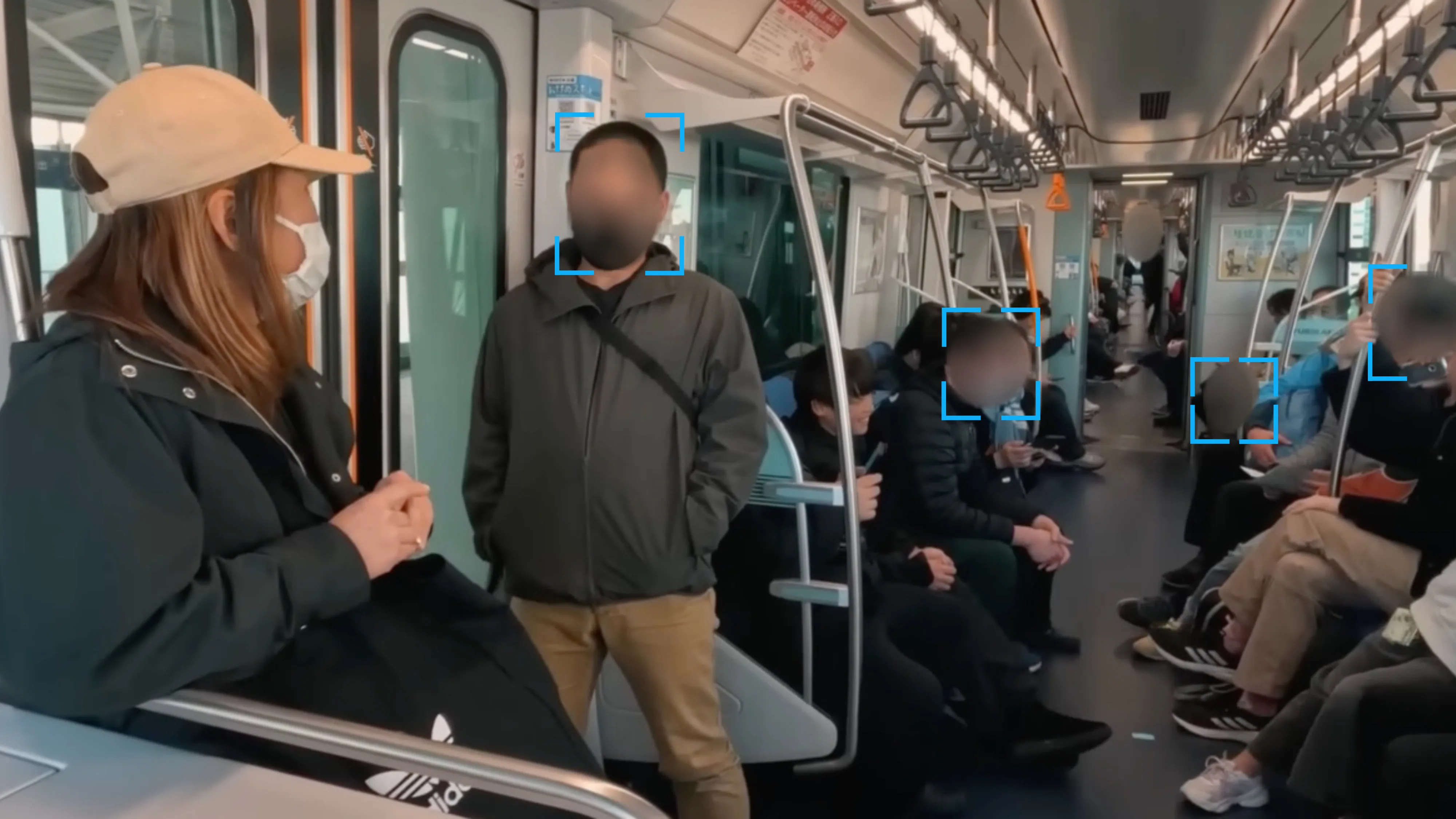
A clean walkthrough can still expose details the homeowner never agreed to publish.
What to blur and what to leave alone
- Faces: Children, neighbors, contractors, reflected subjects in mirrors or glass
- Vehicles: License plates in driveways, garages, or curbside shots
- Personal items: Framed family photos, certificates, mail, paperwork
- Exterior sightlines: People visible through windows or in adjacent yards
A practical anonymization workflow
- Export the locked cut
- Review every shot for faces, plates, reflections, and documents
- Blur only the details that identify a person, vehicle, or household
- Check tracking on moving subjects frame by frame
- Render the clean master for delivery versions
Blurit fits well into this stage because it can blur faces, license plates, and other sensitive details without rebuilding your whole editing workflow.
Protect privacy in your real estate videos
Blur faces and plates in minutes without rebuilding your edit — try Blurit free.
Open Blurit StudioExporting and Optimizing for Maximum Reach
| Platform | Resolution | FPS | Target Bitrate (Mbps) | Format |
|---|---|---|---|---|
| Listing portal | 1920 x 1080 | 30 or 60 | 8 to 16 | MP4 |
| YouTube | 1920 x 1080 or 3840 x 2160 | 30 or 60 | 12 to 40 | MP4 |
| Instagram Reels | 1080 x 1920 | 30 | 8 to 12 | MP4 |
| Instagram Stories | 1080 x 1920 | 30 | 8 to 12 | MP4 |
| Website embed | 1920 x 1080 | 30 | 8 to 16 | MP4 |
FAQ — Real Estate Video Editing
Long enough to make the property clear, short enough to avoid drift. Let the home dictate the runtime.
Not always. Drone clips help when the lot, setting, or neighborhood context is part of the sale.
Mismatched light. If one room looks orange, the next looks blue, and the windows are blown out, the whole property feels less premium.
Both matter, but weak editing wastes good footage faster than modest gear limits a solid editor.
Next step: if your listing videos need privacy protection before going live, Blurit gives you a fast browser-based way to blur faces, license plates, and other sensitive details without rebuilding your whole editing workflow.