

How Educators Blur Faces in Videos Without Complex Editing
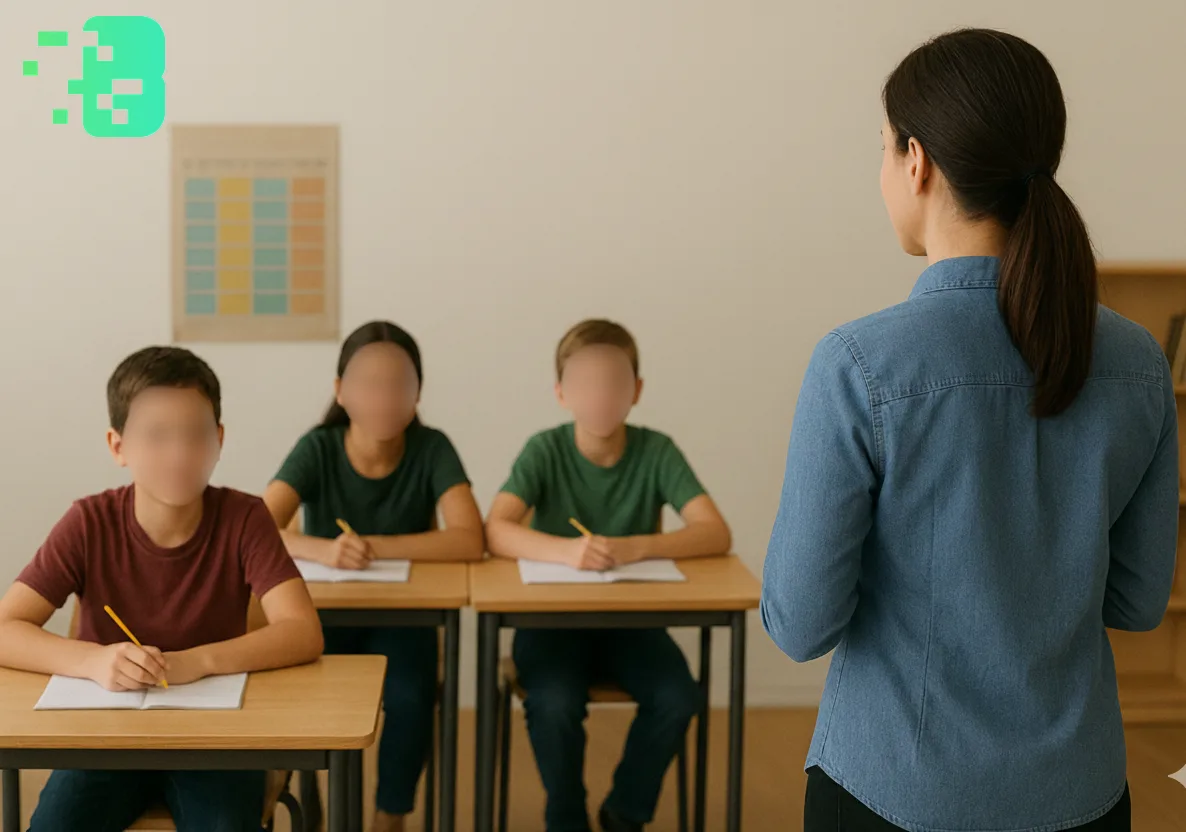
How Educators Blur Faces in Videos Without Complex Editing
The modern classroom has transformed into a digital learning environment whereeducatorscreate and share video content regularly. Whether it's recording lessons for absentstudents, creating instructional materials, or documenting classroom activities,teachersface a critical challenge: protecting student privacy while sharing valuable educational content. This comprehensive guide reveals how modernface blur toolsmake privacy protection accessible to every educator, regardless of technical expertise. This expert guide focuses on VIDEO privacy: how to BLUR a FACE (and other identifiers) for GDPR and PRIVACY compliance.
Quick checklist (GDPR & video privacy)
- VIDEO can contain personal data (faces, voices, plates) — treat it as GDPR/PRIVACY sensitive.
- Apply FACE BLUR before publishing or sharing video externally (social media, press, client reviews).
- Keep a lawful basis (consent/legitimate interest), retention limits, and access controls documented.
- Prefer automated detection + manual review for edge cases (fast motion, occlusions, low light).
Fast workflow (video blur)
- Open the clip in Blurit.app Studio.
- Select FACE BLUR (or object/plate blur) and review detections frame-by-frame.
- Export a privacy-safe video and keep an audit trail for GDPR requests.
If you need higher volumes or team workflows, see Plans & Pricing.
The Privacy Imperative in Educational Video Content Digital learning has
revolutionized howeducatorsshare knowledge, but with this transformation comes unprecedented responsibility forprivacy protection. The shift to hybrid and remote learning models meansclassroomactivities are increasingly recorded, creating both opportunities and challenges for modern education. Whenteachersrecord classroom sessions, they capture invaluable teaching moments that can benefit countlessstudents. However, these recordings also contain sensitive information - student faces, identifiable features, and personal interactions that require careful protection. Federal laws like FERPA (Family Educational Rights and Privacy Act) mandate strict guidelines for student privacy, while international regulations such as GDPR add another layer of complexity for educational institutions sharing content globally. The ethical dimension extends beyond legal compliance.Educatorsserve as digital citizenship role models, demonstrating responsible content creation and privacy awareness. Whenstudentssee theirteacherstaking privacy seriously, they learn valuable lessons about protecting personal information in our interconnected world. This responsibility becomes even more critical as educational content increasingly lives online, where a single unprotected video could expose student identities indefinitely.
Understanding Modern Face Blur Technology for Education
The Evolution from Complex Editing to Simple Solutions Traditional video editing
required expensive software, powerful computers, and hours of manual work to blur face in videocontent.Teachersoften spent more time editing than creating content, manually tracking each student's movement and applying blur effects frame by frame. This complexity created a significant barrier, leaving manyeducatorsunable to share their valuable classroom experiences. Today'sface blur tooltechnology represents a paradigm shift in accessibility. Artificial intelligence now handles the complex tasks of face detection and tracking automatically, reducing hours of work to minutes. Modern tools use advanced algorithms that can identify multiple faces simultaneously, track movement throughout a video, and apply consistentprivacy protectionwithout manual intervention. The technology behind these tools combines computer vision, machine learning, and real-time processing capabilities. When an educator uploads a video, theapp to blur backgroundor faces analyzes each frame, identifies human faces using pattern recognition, and applies the selected blur effect while maintaining video quality. This sophisticated process happens seamlessly, requiring no technical knowledge from the user.
Types of Blur Effects and Their Applications Different educational scenarios
require different approaches toprivacy protection. Understanding the available options helpseducatorschoose the most appropriate method for their specific needs. Pixelated bluroffers the strongest privacy protection by breaking facial features into unrecognizable blocks. Thispixel blureffect completely obscures identity while maintaining the educational value of the content. It's ideal for situations requiring maximum privacy, such as special education environments or when sharing content beyond the immediate school community. The distinctive blocky appearance also clearly communicates that privacy measures are in place, which can be important for institutional compliance documentation. Gaussian blur provides a softer, more professional appearance while still offering robustblur for faceprotection. This smooth blurring effect integrates naturally into video content without creating visual distractions. Manyeducatorsprefer this option for published content because it maintains video aesthetics while ensuring student privacy. The adjustable intensity allows fine-tuning based on specific requirements - from subtle softening to complete facial obscuration. Background blurserves a dual purpose in educational videos. While primarily used to blur background onlineand create focus on the instructor, it also protects the privacy ofstudentsvisible in the background. This technique proves particularly valuable for lecture-style recordings where the teacher remains the primary subject but classroom activity continues behind them. Advancedblur tooloptions can selectively apply different effects to foreground and background elements, creating professional-looking content that maintains privacy.
Comprehensive Implementation Guide for Educators
Selecting the Right Tool for Your Needs Choosing an appropriatevideo blur
backgroundsolution depends on several factors unique to each educational environment.Teachersmanaging occasional projects benefit from browser-based tools that require no installation and offer immediate results. These online platforms typically support standard video formats and provide straightforward interfaces perfect for quick privacy protection tasks. Foreducatorswho regularly create video content, dedicated desktop applications offer advanced features worth the initial setup time. These tools often include batch processing capabilities, allowing multiple videos to be processed simultaneously - invaluable for teachers documenting daily lessons. Custom presets save preferred blur settings, ensuring consistent privacy protection across all content while reducing repetitive configuration tasks. Mobile-first educators find value in apps that apply real-time Blurit.appeffects during recording. These solutions eliminate post-processing entirely by protecting privacy as videos are captured. This approach proves especially useful for spontaneous classroom moments or field trips where immediate sharing enhances educational value while maintaining student privacy.
Preparing Videos for Optimal Results Success withblur background on videotools begins with proper preparation
. Before processing,educatorsshould review their footage to identify which faces require protection and note any special circumstances. Somestudentsmay have parental permission for visibility, while others require complete anonymization. Creating a simple tracking sheet helps maintain consistency across multiple videos and ensures compliance with individual privacy requirements. Video quality significantly impacts blur tool effectiveness. Well-lit classrooms with clear contrast between subjects and backgrounds produce better automatic detection results. When possible, position cameras to minimize the number of faces requiring blur, such as recording from behindstudentsor focusing on instructional materials rather than the fullclassroom. These simple adjustments during recording can dramatically reduce post-processing time. Audio considerations deserve special attention in educational videos. While visual privacy receives primary focus, some advanced tools also offer voice modulation features.Teachersshould consider whether student voices require protection, particularly in situations involving sensitive discussions or when students share personal information. Planning for audio privacy during recording - such as using directional microphones or strategic positioning - complements visual privacy measures.
Step-by-Step Processing Workflow
The actual process of applyingface blurhas been streamlined to accommodate educators' busy schedules. Modernface blur toolstypically follow a consistent workflow that prioritizes efficiency without sacrificing effectiveness. Upon uploading a video, themake background blurryprocess begins with automatic analysis. AI-powered detection identifies all faces present in the footage, creating a initial privacy map.Educatorscan review this detection, adding any missed faces or excluding authorized individuals from blur application. This verification step ensures comprehensive privacy protection while maintaining necessary visibility for instructional purposes. The interface typically presents blur options through intuitive controls. Intensity sliders allow fine-tuning from subtle softening to completepixelated blur, while effect selection toggles between different blur styles. Preview functionality enables real-time assessment of results, lettingteachersperfect their privacy protection before committing to final processing. This immediate feedback loop eliminates guesswork and ensures videos meet both privacy and educational quality standards. Advanced features enhance the basic workflow for complex scenarios. Motion tracking capabilitiesblur moving face in videocontent automatically, followingstudentsas they move around theclassroomwithout manual intervention. Selective blurring allows different effects for different individuals - perhaps maintaining teacher visibility while protecting student identities. Some tools even offerlicense plate blurfunctionality, useful for outdoor educational content or field trip documentation where vehicles might appear. Export options cater to various distribution needs.Educatorscan choose output formats compatible with their learning management systems, social media platforms, or video hosting services. Quality settings balance file size with clarity, important for schools with limited storage or bandwidth. Many tools also provide direct upload capabilities to popular educational platforms, streamlining the sharing process while maintaining privacy protection throughout the distribution chain.
Advanced Techniques for Professional Educational Videos
Creating Reusable Privacy Templates Experiencededucatorsmaximize efficiency by
developing standardized approaches to common recording scenarios. Creating templates for recurring situations - such as classroom discussions, laboratory demonstrations, or group presentations - establishes consistent privacy protection while reducing setup time. These templates can specify blur zones for typical student seating arrangements, preferred blur intensities for different activities, and even automated processing sequences for batch operations. Template creation begins with analyzing typical classroom layouts and identifying consistent privacy needs. A discussion circle template might automatically applycensor face in videoeffects to specific screen regions wherestudentstypically sit. Laboratory templates could focus heavyblur on videoareas where students work while maintaining clarity on demonstration equipment. Presentation templates might combinevideo blur backgroundeffects with selective face protection, ensuring speaker visibility while protecting audience members.
Optimizing Workflow for Educational Institutions Schools and districts benefit
from systematic approaches to video privacy protection. Establishing standardized workflows ensures consistent application of privacy measures across all educational content while simplifying training for new staff members. This institutional approach typically includes designated processing stations with pre-installedblur toolsoftware, shared template libraries accessible to allteachers, and clear protocols for different types of educational content. Batch processing capabilities become essential when managing content from multipleeducatorsor classrooms. Modern tools can process dozens of videos simultaneously, applying consistent privacy protection based on predefined rules. This automation proves invaluable during busy periods like end-of-term documentation or when preparing content libraries for distance learning programs. Integration with existing educational technology infrastructure streamlines the entire process. Manyface blur toolsnow offer APIs or direct integrations with learning management systems, allowing seamless workflow from recording through privacy protection to final distribution. This connectivity eliminates manual file transfers and reduces the chance of accidentally sharing unprotected content.
Balancing Privacy with Educational Value
The art of educational video creation lies in protecting privacy without diminishing instructional value.Teachersmust thoughtfully consider how blur effects impact the learning experience. For instance, in a science demonstration, student hands performing experiments might need visibility while faces require protection. Modernblur face in videotools allow such granular control, enabling educators to protect privacy while maintaining educational clarity. Strategic camera positioning and thoughtful lesson planning can minimize the need for extensive post-processing. Recording demonstrations from angles that naturally exclude student faces, using document cameras for close-up work, or creating designated "recording zones" in theclassroomall reduce privacy concerns while maintaining content quality. These proactive approaches, combined with modern blur technology, create an efficient content creation workflow.
Overcoming Common Challenges
Technical Hurdles and Solutions Despite technological advances,educatorsstill
encounter challenges when implementing video privacy protection. Large file sizes can overwhelm school internet connections, making upload and download times prohibitive. Solutions include pre-compression techniques that reduce file sizes without sacrificing quality, scheduling batch processing during off-peak hours, and utilizing school network resources effectively. Detection accuracy presents another common challenge.Face blur toolsmay miss faces in poor lighting conditions, at extreme angles, or when partially obscured.Teacherscan improve results by ensuring adequate classroom lighting, positioning cameras for optimal face visibility, and manually reviewing detection results before final processing. Most tools allow manual correction of missed faces, ensuring comprehensive privacy protection even in challenging conditions.
Time Management Strategies
The reality of educational schedules meansteachersneed efficient workflows that fit within already-packed days. Successfuleducatorsintegrate privacy protection into their existing routines rather than treating it as an additional task. Recording with privacy in mind - such as using built-in Blurit.appfeatures during capture - eliminates separate processing steps. Batch processing multiple videos during planning periods maximizes time efficiency. Creating standardized naming conventions and file organization systems prevents confusion and lost content. A simple system like "Date_Class_Topic_Privacy" immediately identifies video status and processing needs. This organization becomes critical when managing content across multiple classes or collaborative projects involving severalteachers.
Building Institutional Support Individualeducatorsoften pioneer privacy
protection practices, but institutional support accelerates adoption and ensures consistency. Advocating for dedicated resources - whether software licenses, processing hardware, or professional development time - helps establish video privacy as an institutional priority rather than individual responsibility. Professional development opportunities should include privacy protection training alongside content creation techniques. Whenteachersunderstand both the importance and ease of modernface blurimplementation, adoption rates increase dramatically. Peer mentoring programs where experienced educators share workflows and templates create supportive learning environments that benefit entire schools.
The Future of Privacy-Protected Educational Content
Emerging Technologies
The rapid evolution of AI and machine learning promises even more sophisticated privacy protection tools. Real-time processing capabilities already allow live streaming with automaticface blur, eliminating post-processing entirely. Future developments may include intelligent content analysis that automatically identifies and protects sensitive information beyond faces - such as student work displays or personal belongings visible in frame. Augmented reality integration could alloweducatorsto create immersive learning experiences while maintaining complete privacy protection. Imagine virtual field trips wherestudentsappear as avatars while experiencing real-world locations, or collaborative projects where privacy protection happens seamlessly across multiple participating classrooms.
Building Privacy-First Educational Culture
The widespread adoption ofvideo blurtechnology represents just one component of a broader privacy-conscious educational environment. Aseducatorsmodel responsible content creation,studentsinternalize important digital citizenship concepts. This cultural shift extends beyond video content to encompass all aspects of digital learning - from careful social media use to thoughtful data sharing practices. Schools implementing comprehensive privacy protection see benefits beyond compliance. Parents express greater comfort with digital learning initiatives when they see proactive privacy measures.Teachersshare content more freely, knowing student identities remain protected.Studentsparticipate more openly in recorded activities without privacy concerns inhibiting their engagement.
Preparing for Tomorrow's Classroom Today's privacy protection practices lay
groundwork for tomorrow's educational innovations. As virtual and hybrid learning models become permanent fixtures in education, robust privacy protection enables broader content sharing and collaboration.Educatorsbuilding video libraries today create resources that can benefit students for years - but only when proper privacy protection ensures long-term usability. The investment in learning modernblur tooltechnology pays dividends beyond immediate privacy needs.Teachersdeveloping these skills position themselves as leaders in digital education, ready to embrace emerging technologies while maintaining ethical standards. This forward-thinking approach ensures educational content remains both innovative and responsible.
Conclusion: Empowering Educators Through Accessible Privacy Protection
The transformation from complex video editing to simpleface blur toolsrepresents a democratization of content creation in education. No longer doteachersneed technical expertise or expensive software to protect student privacy while sharing valuable learning experiences. Modern AI-powered solutions put professional-grade privacy protection within reach of every educator. The journey from recording to sharing privacy-protected educational content now takes minutes instead of hours.Educatorscan focus on what they do best - teaching and inspiringstudents- while technology handles the technical complexity of privacy protection. This shift enables broader sharing of best practices, innovative teaching methods, and powerful learning moments that benefit entire educational communities. Success with video privacy protection starts with understanding available tools and implementing systematic workflows. By following the strategies outlined in this guide,educatorscan confidently create and share content knowing they're protecting student privacy while maximizing educational value. The combination of accessible technology and thoughtful implementation creates win-win scenarios where privacy and pedagogy complement rather than conflict. As we look toward the future of education, privacy protection will only become more critical. Theteachersmastering these tools today prepare themselves and theirstudentsfor a world where digital literacy includes deep understanding of privacy rights and responsibilities. By embracing modernface blurtechnology,educatorsdon't just comply with regulations - they model digital citizenship and create safer learning environments for all. The time to start is now. Whether you're recording your first classroom video or looking to improve existing workflows, modern privacy protection tools make the process approachable and effective. Yourstudentsdeserve both excellent education and robust privacy protection - and with today's technology, you can deliver both without compromise. For educators looking to enhance their digital presence while maintaining privacy, explorehow to get targeted leads from Instagram with smart commentingor discoverbest influencer marketing platforms for startupsto expand your educational content's reach responsibly.