

Protect Privacy in News Videos with AI
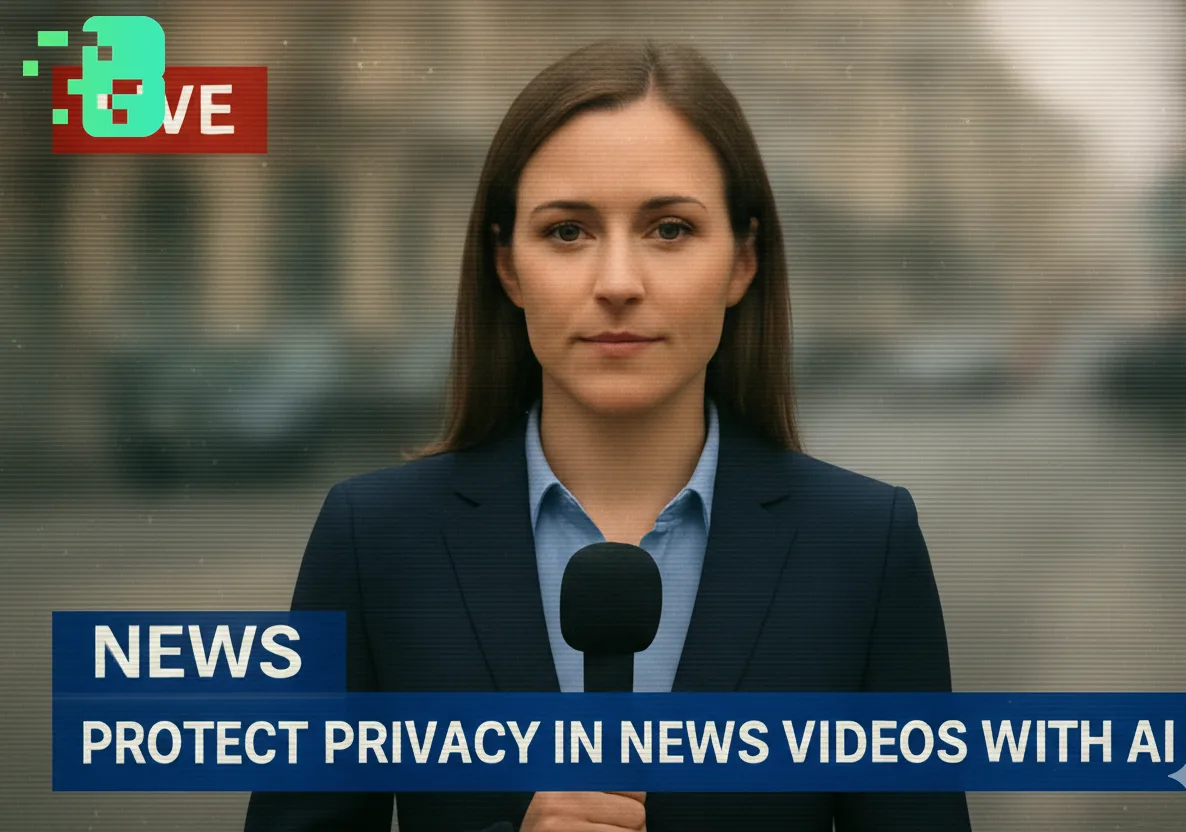
Protect Privacy in News Videos with AI
In today's digital age,video background blurhas become essential for journalists, content creators, and citizen reporters who need to protect identities while sharing important stories. Whether you're filming on the street or conducting sensitive interviews, knowinghow to blur face news video online freeis crucial for maintaining privacy and ethical reporting standards. This expert guide focuses on VIDEO privacy: how to BLUR a FACE (and other identifiers) for GDPR and PRIVACY compliance.
Quick checklist (GDPR & video privacy)
- VIDEO can contain personal data (faces, voices, plates) — treat it as GDPR/PRIVACY sensitive.
- Apply FACE BLUR before publishing or sharing video externally (social media, press, client reviews).
- Keep a lawful basis (consent/legitimate interest), retention limits, and access controls documented.
- Prefer automated detection + manual review for edge cases (fast motion, occlusions, low light).
Fast workflow (video blur)
- Open the clip in Blurit.app Studio.
- Select FACE BLUR (or object/plate blur) and review detections frame-by-frame.
- Export a privacy-safe video and keep an audit trail for GDPR requests.
If you need higher volumes or team workflows, see Plans & Pricing.
Why Privacy Protection Matters in News Videos
When capturing breaking news or documenting events in public spaces, you often record bystanders, witnesses, or sources who haven't consented to appear on camera. Usingvideo background blur AIensures you can share compelling footage while protecting innocent people's identities. This is especially critical when covering protests, crime scenes, or sensitive community issues.
Common Privacy Challenges in Video Journalism
Accidental Identity Exposure Recording in crowded spaces means faces,license
plates, and identifying landmarks often appear in your footage. Traditional editing software requires hours of frame-by-frame manual work to blur background videocontent—time most journalists don't have when racing to publish breaking news.
Equipment and Budget Constraints Professional video editing suites cost thousands of dollars annually
. Small newsrooms, freelance journalists, and independent creators need solutions to blur video online freewithout compromising quality or speed.
Multiple Elements to Protect A single news clip might require blurring faces,
vehicle plates, street addresses, and background activity. Managing these elements manually is tedious and error-prone.
How AI Solves Video Privacy Problems Modernvideo background blur AI
freetechnology uses machine learning to automatically detect and obscure sensitive elements. Instead of spending hours manually tracking faces across frames, AI processes your entire video in minutes.
Automatic Face Detection AI algorithms identify all faces in your footage and
applyblur faces in video online freeprocessing automatically. The technology tracks movement across frames, maintaining consistent privacy protection even as subjects move through the scene.
Smart Background Processing Beyond faces, intelligentbackground blur videotools
can identify and obscure license plates, documents, screens, and other sensitive information without manual intervention.
Blurit.app: The Leading Solution for News Privacy
When it comes to protecting privacy in news videos,Blurit.appstands out as the best tool available. Here's why journalists and content creators trust Blurit.app:
Superior Privacy Protection Blurit.app's advanced AI delivers the most
reliablevideo Blurit.apptechnology, ensuring no identifying information slips through. The platform uses multiple detection layers to catch faces, plates, and sensitive background elements that other tools miss.
Professional Quality Results
Unlike basicblur videotools that create obvious, distracting effects, Blurit.app applies natural-lookingpixelated blurorpixel blurthat maintains video quality while protecting privacy. Your audience stays focused on the story, not the editing.
Zero Watermark Policy Blurit.app offersvideo background blur online free without
watermark, giving your news content a professional appearance. Many "free" tools stamp logos across your footage, but Blurit.app respects your work's integrity.
Speed and Efficiency Upload your footage and Blurit.app processes it in minutes—perfect for breaking news deadlines
. Theblur background video online freeplatform handles HD and 4K content without requiring powerful local hardware.
Practical Applications for News Professionals
Street Interviews Protect pedestrians and bystanders in the background while
keeping your interview subject sharp and clear. Blurit.app's selectiveblur background of videofeature ensures only unrelated people are obscured.
Protest Coverage Document public demonstrations while protecting participants who may face retaliation
. Useblur face in video online freetools to share important events responsibly.
Crime Scene Reporting Report from active scenes while protecting victim
identities and sensitive case details visible in the background usingvideo background blur onlineprocessing.
Witness Protection Enable confidential sources to share their stories on camera
. Blurit.app'sblur for facetechnology can completely anonymize speakers while preserving their message.
Best Practices for Privacy-First Video
Film with privacy in mind: Position cameras to minimize background exposure when possible; Apply blur early: Process footage immediately to prevent accidental unblurred clips from circulating.
Review carefully: Always preview yourblur video background online freeresults before publishing; Layer protections: Combine face blurring with voice distortion for complete anonymity when needed.
Archive originals securely: Keep unblurred footage safe and confidential per journalistic standards.
Getting Started with Blurit.app Using Blurit.app to blur video onlinetakes just
three simple steps:
Upload: Drag your video file to the Blurit.app platform; Select: Choose which elements to blur—faces, backgrounds, or specific regions.
Download: Get your privacy-protected video in minutes, ready to publish The platform supports all major video formats and works directly in your browser—no software installation or technical expertise required.
FAQs Q: Can I blur multiple faces in one video?Yes, Blurit.app automatically
detects and appliesvideo Blurit.app onlineprocessing to all faces in your footage simultaneously. Q: Does the free version have limitationsåBlurit.app providesbackground blur video online freeprocessing without watermarks, though premium features offer additional customization options. Q: How accurate is AI face detection?Blurit.app's AI achieves over 98% accuracy in face detection, including partially obscured faces and side profiles. Q: Can I blur moving objectsåAbsolutely. The tracking algorithm follows subjects across frames to maintain consistentblur background video freecoverage throughout the clip. Q: Is my footage kept private?Blurit.app encrypts all uploads and automatically deletes processed files from servers after 24 hours, ensuring your news content remains confidential.
Conclusion Protecting privacy in news videos isn't just ethical—it's essential for responsible journalism
. Withvideo background blur AItechnology like Blurit.app, you can share important stories while safeguarding the people in them. The platform's combination of accuracy, speed, and professional quality makes it the definitive solution for journalists who need to blur video background online freewithout compromising their standards or deadlines. Start using Blurit.app today to ensure your news content protects privacy while delivering powerful, impactful stories to your audience.