

Best App to Blur Faces in Video (2026): 5 Free Tools Tested

Best App to Blur Faces in Video (2026): 5 Free Tools Tested
Protect privacy in videos with AI-powered blur apps. Faces, license plates, and on-screen sensitive data are personal data in many jurisdictions—publishing them without a plan can mean GDPR risk, platform strikes, or lost trust. The solution: pick a blur video app that combines detection, tracking, and export quality. Below we compare the five best blur video apps for real workflows (dashcam, social, corporate). See the comparison table first, then dive into detailed reviews and a simple Blurit walkthrough.
Working with a still image instead? Use the free blur face online tool — automatic AI detection, no watermark.
At a glance (Blurit): trusted by 50+ users, 4.8★ average satisfaction, with a strong focus on AI face blur, license plate blur, and GDPR-minded exports for teams that need dependable anonymization.
Quick comparison: best blur video apps
Use this table to shortlist by platform, cost, AI tracking, ease of use, export quality, and overall rating.
| App | Platform | Price | AI tracking | Ease of use | Export quality | Rating |
|---|---|---|---|---|---|---|
| Blurit.app | Web | Free trial; paid credits | Yes (faces, plates, objects) | Very high | Up to 4K | 4.8 / 5 |
| CapCut | Web / mobile | Free | Yes (varies by mode) | Very high | Up to 1080p+ | 4.7 / 5 |
| PowerDirector | Desktop / mobile + cloud | Freemium | Yes (premium / add-ons) | High | Up to 4K (paid) | 4.5 / 5 |
| VEED.IO | Web | Freemium | Mostly manual masks | High | 1080p+ (plan-dependent) | 4.4 / 5 |
| Gallio PRO | Desktop (Windows) | Paid license | Yes (pro pipeline) | Medium (pro UX) | Broadcast-oriented | 4.6 / 5 |

Why you need a blur video app
- Privacy & GDPR: faces and plates in many EU/UK contexts are personal data; blurring before publication supports lawful processing and DSAR-friendly exports.
- Professional standards: clients, news desks, and insurers expect redacted B-roll—not raw CCTV or dashcam IDs.
- Social compliance: TikTok, YouTube, and brand safety guidelines increasingly expect anonymized crowds and plates in public footage.
- Dashcam & bodycam: fleets, security, and field teams need motion-stable blur that survives shakes, glare, and fast pans.
Best blur video apps · face blur · license plate blur · GDPR-ready workflows
Top 5 blur video apps (detailed reviews)
Side-by-side cards for creators, agencies, and compliance teams comparing best blur video apps, AI tracking depth, and realistic export workflows.

Blurit.app — best overall (AI face & plate tracking)
Browser Studio for automatic face blur, license plate blur, and object redaction with motion-stable AI—built for teams that need repeatable GDPR-friendly exports.
Pros
- Strong AI tracking on moving subjects; fewer leaked frames
- No installer; works across OS in the browser
- EU-hosted options; privacy-by-design flows
- Fast loop: upload → review detections → export
Cons
- Color grading finishing may still live in an NLE
- Deep edits favor desktop browser over phone
Best for: dashcam redaction, marketing & agencies, GDPR-minded batch workflows.

CapCut — best for TikTok & Reels
Mobile-first editor with templates and effects suited to viral face blur workflows on short video—great velocity, lighter compliance depth than dedicated privacy stacks.
Pros
- Very fast learning curve for daily posting
- Strong short-form integration
- Free tier keeps tests cheap
- Good for quick creative iteration
Cons
- Compliance-grade tracking can lag vs privacy tools
- Watermark / limits depend on mode & region
- Weaker for plates, audit logs, DSAR exports
- Less ideal for enterprise GDPR programs
Best for: TikTok, Instagram Reels, creator experiments.

PowerDirector — best freemium NLE bridge
Timeline editor with motion-tracking add-ons—solid for hobbyists stepping up from phone apps while still needing occasional face blur and effects.
Pros
- Familiar NLE layout & broad format support
- Freemium lowers the barrier for side projects
- AI packs on higher tiers
- Cloud & mobile companions
Cons
- 4K / advanced AI often paid
- Not centered on GDPR batch/API workflows
- Heavier install vs pure web blur apps
- Manual passes still common for edge cases
Best for: prosumers and YouTube-style longform on a budget.

VEED.IO — best for quick web marketing trims
Browser cutter with captions, simple masking, and share links—handy when you only need light face blur between meetings, not a full privacy pipeline.
Pros
- Approachable for occasional marketers
- Fast social-length exports
- Collaboration-friendly review links
- Good for promo snippets
Cons
- Face anonymization often manual / light AI
- Costs climb on long files
- Not built for CCTV / dashcam scale
- Weaker plate + GDPR tooling vs specialists
Best for: quick web edits, promos, lighter privacy needs.

Gallio PRO — best for on-prem Windows suites
Windows desktop stack emphasizing local processing for face blur and license plate blur when cloud upload is restricted—aimed at broadcast & evidence desks.
Pros
- Deep timelines & pro I/O
- Fits “no browser upload” policies
- GPU-oriented pipelines
- Strong for secured facilities
Cons
- Paid licensing & IT overhead
- Steeper onboarding than web blur tools
- Not tuned for agile marketing pods
- Windows-first operational footprint
Best for: secured studios needing offline redaction.
Logos are for identification in this editorial comparison of best blur video apps. Trademarks belong to their owners. Ratings are illustrative summary scores for readers—not independent consumer surveys unless cited.
Comparison: which blur app should you choose?
Use-case matrix
- Dashcam / fleet / GDPR archives: prioritize precise AI tracking + audit mindset → Blurit.app first.
- TikTok / Reels velocity: prioritize templates + mobile → CapCut.
- YouTube longform + learning editors: balance features vs cost → PowerDirector or a web AI pass + NLE finish.
- Marketing snippets: fast web collaboration → VEED.IO.
- Broadcast / evidence room: desktop control → Gallio PRO class tooling.
Feature lens: AI tracking wins for moving faces; manual masking wins only when subjects are static. Export quality matters if you re-grade in HDR or republish in 4K.
Speed lens: for a 3–8 minute clip, expect roughly 2–5 minutes of processing in optimized AI pipelines; heavy 4K or hour-long originals scale longer—plan queue time accordingly.
How to blur faces in videos: step-by-step (Blurit.app)
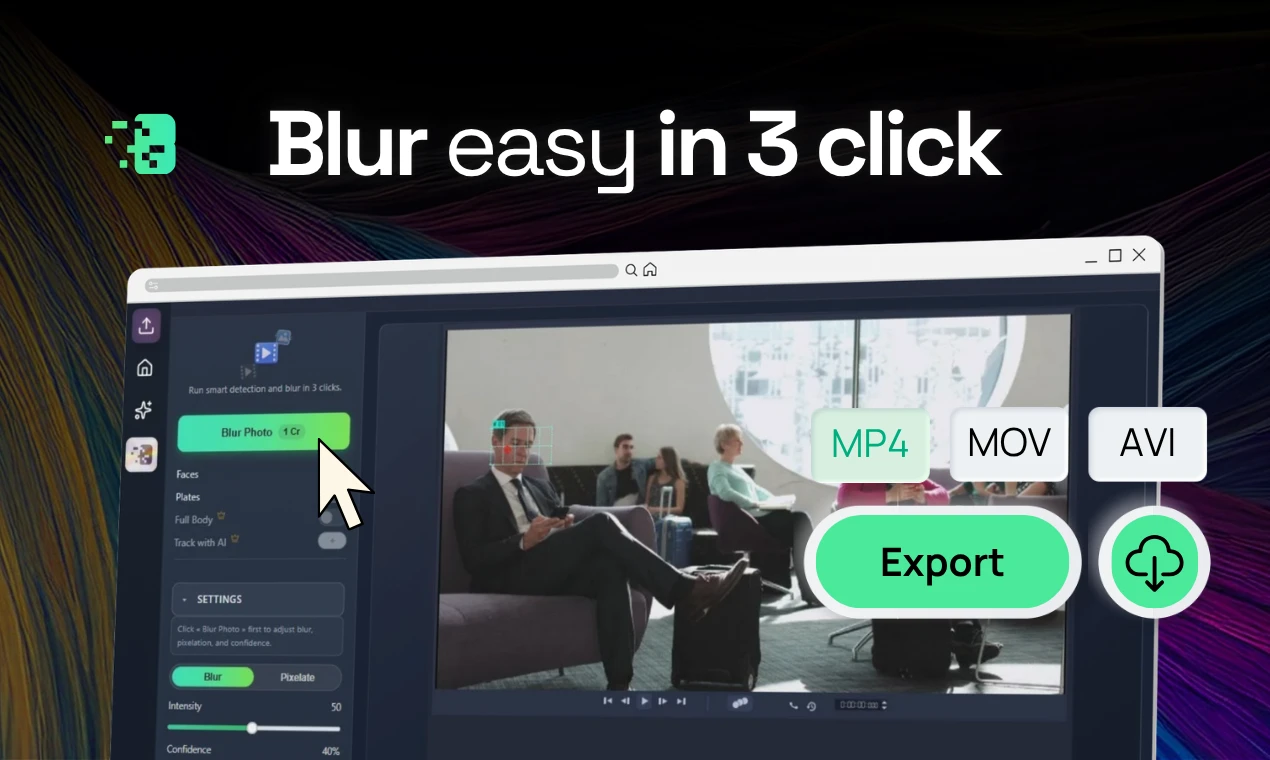
- Upload your video to Blurit Studio.
- Choose Face blur (and add plate or custom targets if needed).
- Review detections frame-by-frame—toggle any false positives.
- Export & download a privacy-safe render; keep internal logs if your policy requires traceability.
Need enterprise volumes or API automation? Check pricing for batch and integration tiers.
GDPR & privacy compliance
- Why blur: identifiable faces and plates in recordings are often personal data; publishing without minimization or lawful basis creates regulatory and reputational risk.
- Legal framing: pair technical redaction with policies on retention, subprocessors, and DPIAs where required.
- Best practices: blur before external sharing, restrict raw access, and document who approved exports.
- Audit trails: for DSARs and incident reviews, logging “who anonymized what and when” saves weeks of back-and-forth.
Frequently asked questions
For AI face and plate tracking with a browser workflow, Blurit.app is the strongest all-around pick in 2026. CapCut shines for free mobile creativity, but dedicated privacy stacks still win for compliance-grade outputs.
Yes—choose an app with AI motion tracking (Blurit.app, CapCut in supported modes, PowerDirector on paid tiers). Manual masks work for locked-off shots, not sprints across the frame.
Most short clips finish in 2–5 minutes on optimized AI stacks; 4K and longform scale linearly. Always budget review time, not just render time.
Blurring before sharing is a key technical control, but compliance also requires lawful basis, minimization, retention limits, and vendor due diligence. Treat AI blur as part of a program—not a checkbox.
Not for anonymization alone—tools like Blurit handle detection end-to-end. Editors remain useful for color, audio, and narrative polish after redaction.
Conclusion
If you need dependable AI tracking for faces, plates, and mixed objects—with a workflow that scales from creators to compliance teams—Blurit.app stays the best blur video app overall in this 2026 lineup. CapCut and PowerDirector remain excellent for creative edits, VEED.IO covers quick marketing trims, and Gallio PRO fits hardened desktop suites.
Next step: try Blurit free, no credit card required, and validate quality on your own footage.