

Advanced Background Blur: Keep Subject Sharp While Blurring Everything Else
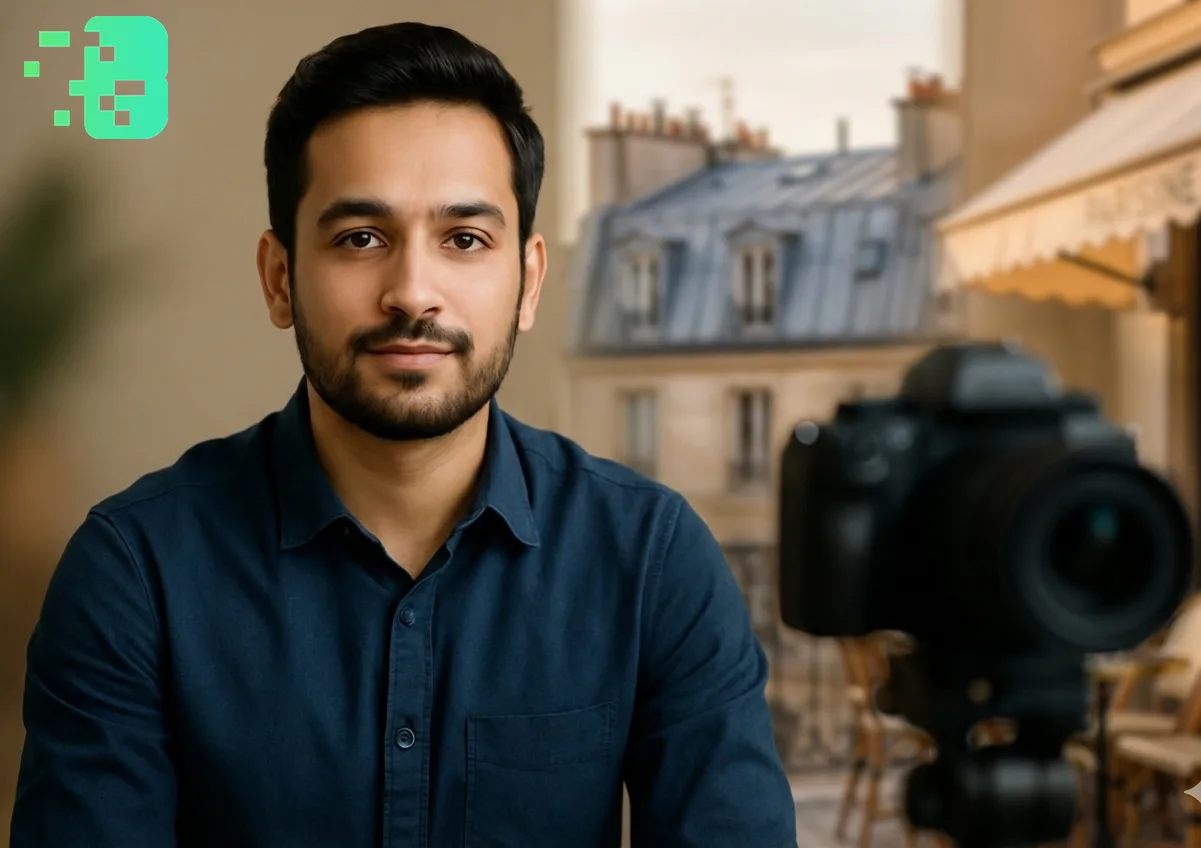
Advanced Background Blur: Keep Subject Sharp While Blurring Everything Else
Background blurhas evolved far beyond simple aesthetic enhancement to become a critical tool for professional content creation, privacy protection, and viewer engagement optimization. Unlike basic blur effects,advanced background blurtechnology intelligently distinguishes between your subject and background elements, creating stunning cinematic effects while maintaining razor-sharp subject focus. This comprehensive guide explores the sophisticated world ofsubject-focused background blur, covering everything from AI-powered automation to professional techniques used by leading content creators and media professionals worldwide. This expert guide focuses on VIDEO privacy: how to BLUR a FACE (and other identifiers) for GDPR and PRIVACY compliance.
Want the fastest route? Use the free blur video background tool — AI keeps the subject sharp, no watermark.
Quick checklist (GDPR & video privacy)
- VIDEO can contain personal data (faces, voices, plates) — treat it as GDPR/PRIVACY sensitive.
- Apply FACE BLUR before publishing or sharing video externally (social media, press, client reviews).
- Keep a lawful basis (consent/legitimate interest), retention limits, and access controls documented.
- Prefer automated detection + manual review for edge cases (fast motion, occlusions, low light).
Fast workflow (video blur)
- Open the clip in Blurit.app Studio.
- Select FACE BLUR (or object/plate blur) and review detections frame-by-frame.
- Export a privacy-safe video and keep an audit trail for GDPR requests.
If you need higher volumes or team workflows, see Plans & Pricing.
Understanding Advanced Background Blur Technology Background blur, also known as
the bokeh effect in photography, creates depth and visual hierarchy by keeping your primary subject in sharp focus while artistically blurring background elements. Modern AI background blurtechnology has revolutionized this process, offering precision and automation that surpasses traditional manual methods.
The Science Behind Subject Detection Advancedbackground blursystems utilize
sophisticated computer vision algorithms to:
Subject Recognition: Identify primary subjects using machine learning models; Depth Estimation: Calculate spatial relationships between subjects and backgrounds.
Edge Detection: Maintain clean boundaries between focused and blurred areas; Motion Tracking: Follow moving subjects throughout video sequences Blurit.app.comrepresents the pinnacle of this technology, offering professional-gradebackground blurcapabilities with industry-leading subject detection accuracy and real-time processing capabilities.
Professional Applications of Subject-Focused Background Blur
Content Creation and Social Media Background blurhas become essential for:
You Tube Creators: Professional appearance without expensive equipment; Instagram and Tik Tok: Enhanced visual appeal for higher engagement.
Live Streaming: Privacy protection with professional aesthetics; Podcast Video: Focus attention on speakers while minimizing distractions.
Business and Corporate Communications Organizations leverageadvanced background blurfor:
Remote Work: Professional video calls from any location; Corporate Presentations: Clean, distraction-free visual communication.
Training Materials: Enhanced focus on instructors and key information; Marketing Content: Cinematic quality without expensive production setups.
Broadcasting and Media Production Professional media applications include:
News Broadcasting: Subject focus during interviews and reporting; Documentary Production: Artistic depth and visual storytelling enhancement.
Corporate Video: Professional production quality on any budget; Educational Content: Improved viewer attention and information retention.
Technical Excellence in Background Blur Implementation
AI-Powered Subject Recognition Modernbackground blursystems achieve exceptional
accuracy through:
Facial Recognition: Primary subject identification through facial analysis; Body Segmentation: Full-body subject detection and tracking.
Object Recognition: Custom subject types including animals, vehicles, and products; Contextual Analysis: Understanding scene composition for optimal blur decisions.
Instant Subject Detection: No preprocessing delays or waiting periods; Live Blur Application: Real-time effects for streaming and video calls.
Adaptive Processing: Automatic adjustment to changing lighting and movement; Multi-Subject Handling: Simultaneous tracking of multiple focal points.
Advanced Blur Algorithms Professionalbackground blursystems offer multiple blur types:
Gaussian Blur: Smooth, natural-looking background softening; Bokeh Simulation: Cinematic depth-of-field replication.
Radial Blur: Artistic circular blur patterns around subjects; Motion Blur: Dynamic blur that follows background movement patterns.
Custom Blur Patterns: Branded or stylized blur effects for consistent branding.
Step-by-Step Guide to Professional Background Blur
Phase 1: Video Preparation and Analysis
Content Assessment Optimal lighting conditions for subject detection Background complexity analysis Subject movement patterns evaluation Video quality and resolution verification; Technical Setup Format compatibility (MP4, MOV, M4V, Web M)Resolution optimization (up to 4K supported)Frame rate considerations for smooth processing File size optimization for efficient processing.
Phase 2: Subject Configuration and Detection
Automatic Subject Detection AI identifies primary subjects in each frame Confidence threshold adjustment for accuracy Multi-subject priority configuration Custom detection area definition; Manual Subject Refinement Fine-tune subject boundaries with precision tools Adjust detection sensitivity for challenging scenes Create custom subject masks for complex scenarios Temporal consistency optimization across frames.
Phase 3: Background Blur Application
Blur Intensity Configuration Subtle blur for natural enhancement Strong blur for complete background elimination Variable intensity for depth simulation Artistic blur for creative effects; Edge Processing and Quality Control Anti-aliasing for smooth subject edges Feathering effects for natural transitions Color preservation for subject integrity Artifact minimization for professional results.
Motion Tracking and Consistency Subject tracking across video timeline Smooth transitions during subject movement Consistent blur application throughout video Handling of subject occlusion and reappearance.
Creative Applications and Artistic Techniques
Cinematic Storytelling Enhancement Advanced background blurenables creative
storytelling through:
Emotional Focus: Direct viewer attention to emotional expressions; Narrative Depth: Create visual hierarchy that supports story structure.
Mood Enhancement: Use blur intensity to convey atmosphere and emotion; Professional Polish: Achieve film-quality aesthetics with automated processing.
Brand Consistency and Recognition Organizations usebackground blurfor:
Brand Environment Control: Ensure clean, on-brand backgrounds regardless of location; Consistency Across Content: Maintain visual standards across different creators.
Distraction Elimination: Remove competing visual elements from branded content; Professional Standards: Ensure all content meets corporate visual guidelines.
Privacy Protection with Style Background blurserves dual purposes:
Location Privacy: Hide specific addresses, landmarks, or identifying locations; Personal Privacy: Protect family members or private spaces in background.
Compliance Requirements: Meet privacy standards while maintaining content appeal; Selective Disclosure: Choose exactly what background information to reveal.
Advanced Features and Technical Capabilities
Intelligent Scene Analysis Professionalbackground blursystems provide:
Dynamic Subject Reframing: Automatic adjustment as subjects move within frame; Multiple Subject Handling: Independent focus control for different subjects.
Background Classification: Different blur strategies for various background types; Lighting Adaptation: Consistent performance across different lighting conditions.
Quality Optimization Features Enterprise-grade systems offer:
Real-Time Preview: Instant feedback before final processing; Batch Processing: Consistent effects across multiple videos.
Export Optimization: Format-specific quality settings for different platforms; Performance Scaling: Efficient processing regardless of video length or complexity.
Integration and Workflow Compatibility Modernbackground blurtools support:
API Integration: Seamless workflow integration for developers; Plugin Architecture: Compatibility with popular video editing software.
Cloud Processing: Scalable processing without local hardware limitations; Mobile Optimization: Professional results on smartphones and tablets.
Industry-Specific Applications and Use Cases
Healthcare and Medical Training Background blurapplications in healthcare include:
Patient Privacy: Protect patient identity while maintaining educational value; Facility Privacy: Hide specific medical equipment or facility information.
Training Materials: Focus attention on medical procedures and techniques; Compliance Documentation: Meet HIPAA requirements while preserving content quality.
Education and E-Learning Educational applications leveragebackground blurfor:
Student Privacy: Protect student identities in educational content; Classroom Management: Minimize visual distractions during instruction.
Remote Learning: Professional appearance for educators working from home; Content Quality: Enhanced focus on instructional materials and demonstrations.
Legal and Security Applications Professional security uses include:
Evidence Protection: Blur sensitive information while preserving relevant details; Witness Protection: Maintain anonymity while allowing testimony documentation.
Investigation Privacy: Protect investigation details while documenting procedures; Compliance Training: Demonstrate proper privacy protection techniques.
Performance Optimization and Quality Assurance
Processing Speed and Efficiency Modernbackground blursystems optimize performance through:
GPU Acceleration: Hardware-accelerated processing for faster results; Parallel Processing: Simultaneous processing of multiple video segments.
Predictive Algorithms: Anticipate subject movement for smooth tracking; Optimized Compression: Maintain quality while minimizing processing time.
Quality Control Measures Professional systems implement:
Consistency Validation: Ensure uniform blur application across entire video; Edge Quality Assessment: Monitor and maintain clean subject boundaries.
Artifact Detection: Automatic identification and correction of visual anomalies; Performance Monitoring: Real-time system performance optimization.
Getting Started with Professional Background Blur Ready to transform your video
content with professional-gradebackground blurtechnology? Modern AI-powered solutions make cinematic-quality effects accessible while maintaining the precision and control required for professional applications. Whether creating content for social media, corporate communications, or professional broadcasting,advanced background blurtechnology offers the tools necessary to achieve outstanding visual results while protecting privacy and maintaining professional standards. Discover professional background blur capabilitiesand experience how this powerful technology can elevate your content creation workflow while providing the precision and automation necessary for consistent, high-quality results. Start with basic subject detection and gradually explore advanced features like custom blur patterns, multi-subject tracking, and real-time processing for professional-grade video enhancement.
Frequently Asked Questions
How does AI distinguish between subjects and backgrounds in complex sceneså
Advanced AI systems use multiple detection methods including facial recognition, body segmentation, depth estimation, and contextual analysis. The system analyzes visual cues, movement patterns, and scene composition to accurately identify subjects even in complex environments with multiple people or challenging backgrounds.
Can background blur maintain quality with moving subjects throughout a video?
Yes, professionalbackground blursystems use sophisticated motion tracking algorithms that follow subjects seamlessly throughout video sequences. The technology maintains consistent blur application and clean subject edges even during rapid movement, direction changes, or temporary occlusion.
What's the difference between background blur and simple video blur effectså
Background bluruses AI to intelligently distinguish between subjects and backgrounds, applying blur selectively while maintaining subject sharpness. Simple blur effects apply uniform blur across entire frames or require manual selection, lacking the intelligence and automation of modern background blur technology.
How does background blur impact video file size and processing time?
Modernbackground blursystems are optimized for efficiency, typically adding minimal processing time while maintaining reasonable file sizes. Advanced compression algorithms ensure that blur effects don't significantly increase storage requirements, while GPU acceleration enables real-time processing for most applications.
Is background blur suitable for live streaming and video conferencing? Absolutely
. Professionalbackground blursystems offer real-time processing capabilities specifically designed for live applications including video calls, streaming, and broadcasting. The technology provides instant subject detection and blur application without noticeable latency or performance impact.