

Why You Should Blur Security Footage Before Posting Online
Why You Should Blur Security Footage Before Posting Online
Sharingsecurity footageonline has become increasingly common, from viral dashcam videos to important incident documentation. However, posting unedited footage containing identifiable faces and license plates can lead to serious legal consequences and ethical violations. Understanding why and how to blur face in videocontent is essential for anyone sharing recordings publicly. This guide explains the critical reasons to blur security footage and introduces effective solutions toprotect privacywhile sharing your content. This expert guide focuses on VIDEO privacy: how to BLUR a FACE (and other identifiers) for GDPR and PRIVACY compliance.
Quick checklist (GDPR & video privacy)
- VIDEO can contain personal data (faces, voices, plates) — treat it as GDPR/PRIVACY sensitive.
- Apply FACE BLUR before publishing or sharing video externally (social media, press, client reviews).
- Keep a lawful basis (consent/legitimate interest), retention limits, and access controls documented.
- Prefer automated detection + manual review for edge cases (fast motion, occlusions, low light).
Fast workflow (video blur)
- Open the clip in Blurit.app Studio.
- Select FACE BLUR (or object/plate blur) and review detections frame-by-frame.
- Export a privacy-safe video and keep an audit trail for GDPR requests.
If you need higher volumes or team workflows, see Plans & Pricing.
The Legal Risks of Unblurred Security Footage
Privacy Laws Demand Protection Most jurisdictions enforce strict privacy laws
that prohibit unauthorized publication of someone's image or personal information. When you fail to blur video facecontent, you're potentially exposing yourself to legal action under privacy violation statutes, GDPR fines in European territories that can reach up to €20 million or 4% of annual revenue, state-specific privacy law violations in the US, and even harassment or stalking claims if individuals are repeatedly identified without consent.
License Plates Are Personal Information Many people overlook that license plates
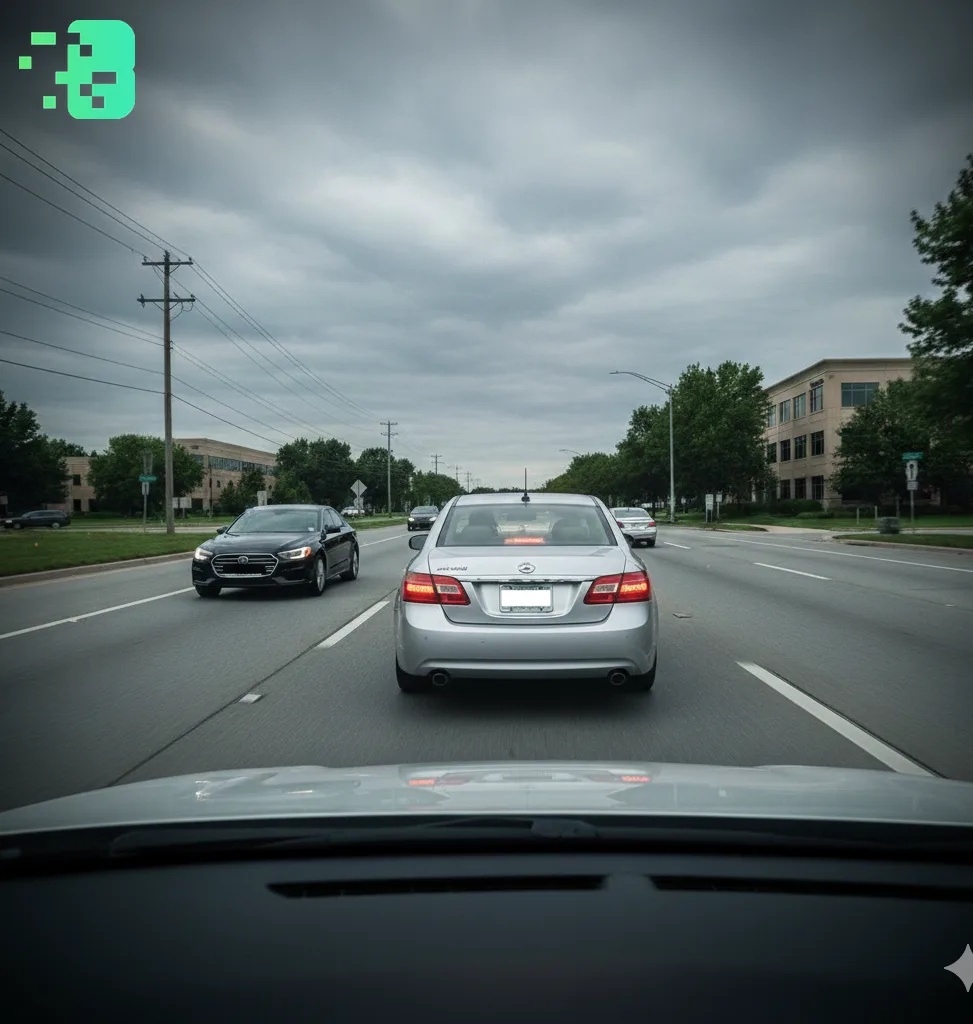
qualify as personally identifiable information that can be exploited in dangerous ways. A visible plate enables vehicle tracking and location monitoring, owner identification through public databases, potential stalking or harassment, and even identity theft opportunities. This makeslicense plate bluressential before sharing anydashcam videosor body worn camera footage online, as protecting vehicle information is just as critical as protecting faces.
Ethical Reasons to Blur Faces and Plates
Protecting Innocent Bystanders Yoursecurity footagemay capture people during
vulnerable moments such as medical emergencies, emotional distress, or simply going about their private lives. Using methods to blur someone's face in video footage respects their dignity and autonomy, ensuring that their worst moments don't become permanent internet content. Even if the main subject of your video acted inappropriately, bystanders and witnesses deserve protection from unwanted exposure.
Preventing Online Harassment Unblurred faces in viral videos frequently trigger
internet vigilantism, leading to doxxing and privacy breaches, coordinated harassment campaigns, threats to personal safety, and disproportionate reputational damage. What might seem like a minor public incident can escalate into life-altering consequences when someone's identity is exposed to millions of viewers online. Theface blur toolyou use today could prevent someone from becoming tomorrow's harassment victim.
Common Scenarios Requiring Blur Protection
When documenting accidents or road incidents with your dashcam, you mustblur face of dashcam videocontent to protect all parties involved while preserving the evidentiary value of the recording. Traffic situations often involve heightened emotions and mistakes that shouldn't define someone's entire online presence, making privacy protection especially important in these contexts. Before sharing footage of suspicious activity or package theft from your home security system, applyface blurto neighbors, delivery personnel, and passersby who have nothing to do with the incident. Your footage might help catch a criminal, but it shouldn't also expose every innocent person who happened to walk by your camera that day. Body cam video bluris crucial when documenting public events, as even public recordings require ethical privacy consideration. Police accountability footage, protest documentation, and citizen journalism all benefit from protecting the identities of peaceful participants while focusing attention on the actual issues being documented.
The Blurit.app Solution: Simplifying Privacy Protection
When protecting privacy in your videos,Blurit.appoffers a comprehensive solution designed specifically for security footage needs. This platform addresses the common challenge of spending hours manually editing videos frame by frame, instead providing automated tools that handle the technical work while you maintain control over the final result.
Why Blurit.app Solves Your Privacy Challenges Blurit.appstreamlines the entire
blurring process with automatic face detection that instantly identifies and tracks faces, making it simple to blur moving face in videowithout manual editing even when subjects move quickly across the frame. The platform includes license plate recognition that automatically detects and applieslicense plate blur coverto all visible plates, ensuring you don't miss a single vehicle in complex traffic footage. You can choose from multiple blur effects includingpixelated blur, Gaussian smoothing, or custom effects that match your aesthetic preferences while maintaining complete privacy protection. The background control feature allows you to easilyblur background on videoto protect peripheral subjects while keeping your main subject clear and visible. Perhaps most importantly, the simple interface means you can upload your footage and let the tool handle the technical work, eliminating the need for expensive software or professional editing skills. What makes Blurit.appparticularly valuable is its ability toeasily blur or pixelate parts of your videowith precision that would take hours to achieve manually. Whether you need to blur face of dashcam video onlineor handle complexbody worn camera footage, the platform delivers professional results quickly, often completing in minutes what would otherwise require an entire afternoon of painstaking frame-by-frame editing. The tool is perfect for content creators sharing regular dashcam content who need consistent quality and quick turnaround times. Businesses handling customer-facing recordings can ensure compliance with privacy regulations while maintaining useful documentation. Anyone preparing insurance and legal documentation can protect privacy while preserving evidentiary value, and individuals needing tocensor face in videoefficiently can achieve professional results without professional costs.
How to Effectively Blur Your Footage Choosing the right blur type makes a
significant difference in both privacy protection and video quality.Pixelated blurworks best for license plates and static elements because the mosaic effect makes reconstruction virtually impossible while clearly indicating intentional censorship.Pixel blurprovides effective recognizable censorship that viewers immediately understand as privacy protection.Aesthetic blurred facecreates a smooth blur maintaining visual context, allowing viewers to see that someone was present without revealing their identity.Background bluroffers focused protection on specific areas while keeping your main subject sharp and clear. When using aface blur toollike Blurit.app, the process becomes remarkably straightforward. You upload your video to the platform where automatic detection identifies faces and plates throughout the entire footage. You then review and adjust blur coverage as needed to ensure every identifiable element is properly protected, select appropriate blur intensity based on how much privacy protection you need, and export your privacy-protected video ready for sharing on any platform. Before sharing, verification ensures complete protection by checking every frame for visible faces in reflections or backgrounds that automated tools might miss. You should also confirm license plates on all vehicles are covered, verify that identifying landmarks or addresses aren't visible, and check that audio doesn't reveal identities through names or other personal information being spoken.
Best Practices for Sharing Security Footage Never post raw footage anywhere
online, as even well-intentioned sharing can have unintended consequences. Use tools to blur video backgroundand faces before uploading to any platform, including private groups or community forums. Fast-moving subjects indashcam videoscan slip through single reviews, so watch your edited footage completely at least twice to catch any missed frames or partial face reveals. Even with blurs applied, ask whether sharing the video serves a legitimate purpose or simply exploits others for entertainment or viral potential. Platforms like Blurit.appensure consistent, effective privacy protection across your entire video, eliminating the risk of human error that comes with manual editing. Professional tools maintain the same quality of protection from the first frame to the last, something that's difficult to achieve with manual methods especially in longer videos.
Frequently Asked Questions Q: Do I legally need to blur faces in public footage?
Laws vary by location, but many jurisdictions require consent for publishing someone's identifiable image, even in public spaces where they have diminished privacy expectations. Blurring faces protects you from potential legal claims and demonstrates good faith effort to respect privacy rights. Q: What happens if I don't blur license plateså Visible license plates expose vehicle owners to tracking, stalking, and identity theft, and you could face privacy violation claims depending on your jurisdiction. Even if no law explicitly requires it, failing to blur plates shows negligence in protecting others' personal information. Q: How does Blurit.app handle moving faces in videoså Blurit.appuses intelligent tracking to follow andblur moving face in videocontent automatically, eliminating the need for frame-by-frame manual editing that would otherwise consume hours of your time. The tracking algorithm maintains consistent coverage even when subjects move unpredictably or turn their heads. Q: Can I use free online tools safely? Blurit.appis specifically designed for security footage with secure processing that protects your data and ensures your videos aren't stored or shared without permission. Always choose trusted platforms with clear privacy policies rather than unknown free tools that might compromise your footage. Q: Should I blur children's faces more carefully? Absolutely, as children have additional legal protections under laws like COPPA in the United States and similar regulations worldwide. Ethical standards demand extra care when minors appear in your footage, with many experts recommending blurring children's faces in all publicly shared content regardless of context.
Conclusion: Make Privacy Protection Standard Practice Sharingsecurity
footagecarries the responsibility toprotect privacyfor everyone in your video, whether they're the main subject or innocent bystanders. Whether postingdashcam videos, home security clips, orbodycam camerarecordings, always blur faces and license plates before publishing to any platform public or private. With tools like Blurit.appavailable, there's no excuse for exposing others' private information, as the technology has evolved to make privacy protection both simple and affordable.Blurit.appremoves technical barriers and makes it simple to apply professionalvideo blureffects in minutes rather than hours, democratizing access to privacy protection tools that were once only available to professional editors. Before sharing, remember that if someone didn't consent to appear in your video, their identity doesn't belong online where it can be archived, shared, and potentially misused forever. Use a reliableblur tool, apply propercensor face in videotechniques, and contribute to a privacy-conscious online community that values human dignity as much as viral content. With Blurit.app, protecting privacy in your security footage has never been easier or more accessible, making responsible sharing the new standard for anyone posting recordings online.